





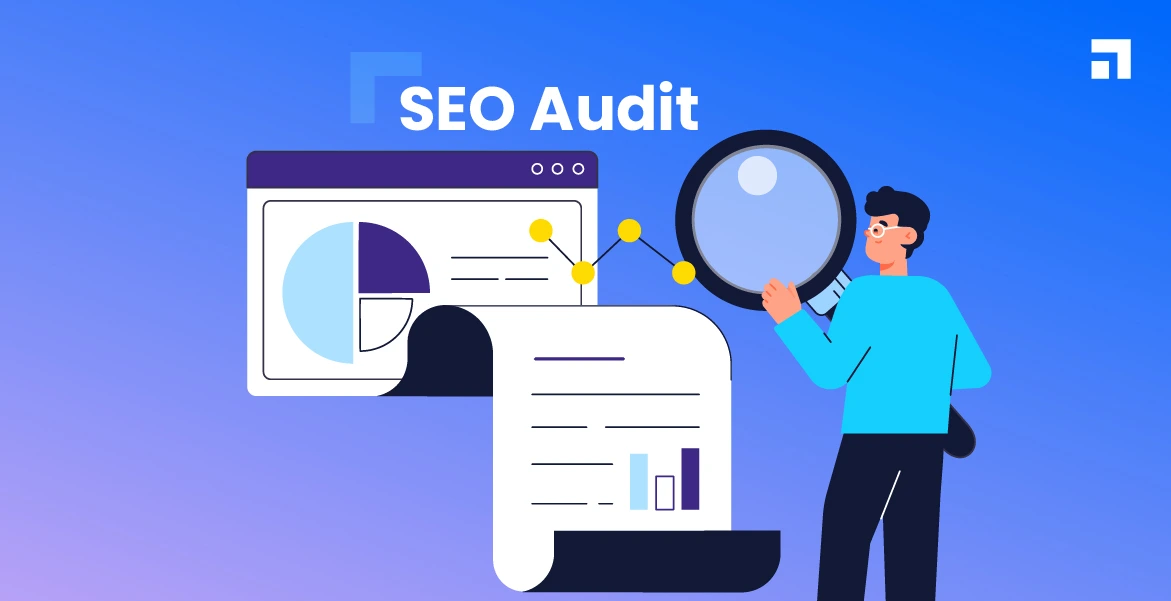
You can write the best content in your industry, optimise every title tag perfectly, and even build quality backlinks — but if your website has technical issues, your SEO performance will always be limited.
- What Is a Technical SEO Audit?
- Why a Technical SEO Audit Is Important
- When Should You Perform a Technical SEO Audit?
- Core Areas Covered in a Technical SEO Audit
- Crawlability Audit (First and Most Important Step)
- Indexability Audit
- Website Structure and URL Audit
- Page Speed Audit (Technical SEO Essential)
- Mobile-Friendliness Audit
- HTTPS and Security Audit
- Duplicate Content Audit
- Redirect Audit
- XML Sitemap Audit
- Structured Data & Schema Audit (Beginner Level)
- Technical SEO Audit Tools (Beginner Friendly)
- Step-by-Step Technical SEO Audit Process
- Common Technical SEO Issues Found in Audits
- Technical SEO Audit Checklist
- How Often Should You Do a Technical SEO Audit?
- Can Beginners Do a Technical SEO Audit?
- Technical SEO Audit vs On-Page SEO Audit
- Frequently Asked Questions
That’s where a technical SEO audit comes in.
Technical SEO issues are often invisible. They don’t show up on the surface, but they silently block search engines from crawling, indexing, or ranking your pages properly. Many websites lose traffic not because their content is bad, but because search engines can’t access or understand the site correctly.


In this guide, we’ll break down what a technical SEO audit is, why it matters, and how beginners can perform one step by step without deep technical knowledge. This is written in plain language and focused on practical understanding — not developer jargon.
What Is a Technical SEO Audit?
A technical SEO audit is the process of analysing a website’s technical setup to ensure that search engines can crawl, index, and rank the site efficiently.
Unlike on-page SEO, which focuses on content and keywords, a technical SEO audit checks the foundation of your website, including:


- Crawlability
- Indexability
- Website structure
- Page speed
- Mobile usability
- Security
- Duplicate content
- Redirects and errors
In simple terms, a technical SEO audit answers this question:
“Is anything technically stopping my website from ranking?”
Why a Technical SEO Audit Is Important
Many website owners ignore technical SEO because it doesn’t feel visible or creative. But technical SEO plays a critical role in search performance.
Here’s why a technical SEO audit is essential:
- It helps search engines crawl your site properly
- It ensures important pages are indexed
- It prevents ranking drops caused by hidden issues
- It improves overall website performance
- It supports on-page and off-page SEO efforts
Even small technical issues can have a big impact. Fixing them often leads to noticeable improvements in rankings and traffic.
When Should You Perform a Technical SEO Audit?
A technical SEO audit is not a one-time task. It should be done at specific stages and intervals.
You should perform a technical SEO audit when:
- Launching a new website
- Experiencing a sudden traffic drop
- Rankings are stagnant for months
- Redesigning or migrating a website
- Making major structural changes
- Performing regular SEO maintenance
For most websites, a basic technical audit every few months is a healthy practice.
Core Areas Covered in a Technical SEO Audit
A proper technical SEO audit focuses on several key areas. Each one plays a role in how search engines interact with your site.
The core areas include:
- Crawlability
- Indexability
- Website structure
- Page speed
- Mobile-friendliness
- Security (HTTPS)
- Duplicate content
- Redirects
- XML sitemaps
- Structured data (basic level)
Let’s break each one down in a beginner-friendly way.
Crawlability Audit (First and Most Important Step)
Crawlability refers to whether search engines can access and read your website pages.
If a page cannot be crawled, it cannot be indexed or ranked.
What to Check in a Crawlability Audit
- Pages blocked by robots.txt
- Important resources blocked (CSS, JS)
- Broken internal links
- Server errors
- Crawl budget issues (basic level)
Common Crawlability Problems
- Accidentally blocking pages in robots.txt
- Blocking JavaScript or CSS files
- Broken links pointing to important pages
- Too many low-quality URLs being crawled
For beginners, the goal is simple: make sure search engines can access your important pages without restrictions.
Indexability Audit
Indexability refers to whether crawled pages are actually stored in search engine indexes.
A page can be crawlable but still not indexed.
What to Check in an Indexability Audit
- Pages marked as “noindex”
- Canonical tag issues
- Duplicate URLs
- Parameter-based URLs
- Soft 404 pages
Common Indexation Issues
- Important pages accidentally set to noindex
- Incorrect canonical tags pointing to wrong pages
- Duplicate versions of the same page
- Filter or tag pages getting indexed unnecessarily
Indexation problems often cause ranking confusion and diluted SEO signals.
Website Structure and URL Audit
Website structure affects both SEO and user experience.
A clean structure helps search engines understand page importance and hierarchy.
SEO-Friendly Structure Basics
- Important pages should be reachable in few clicks
- Logical category and subcategory flow
- No orphan pages (pages with no internal links)
URL Structure Best Practices
- Short and descriptive URLs
- Use hyphens between words
- Avoid unnecessary parameters
- Maintain consistency across URLs
Poor structure makes it harder for search engines to assign relevance and authority.
Page Speed Audit (Technical SEO Essential)
Page speed is both a ranking factor and a user experience factor.
Slow websites:
- Lose rankings
- Increase bounce rates
- Reduce conversions
What to Check in a Page Speed Audit
- Page loading time on mobile and desktop
- Heavy images
- Unnecessary scripts
- Server response time
Beginner-Friendly Speed Improvements
- Compress images
- Reduce unnecessary plugins
- Use caching
- Choose reliable hosting
You don’t need to be a developer to improve basic page speed.
Mobile-Friendliness Audit
Search engines use mobile-first indexing, meaning they primarily evaluate the mobile version of your site.
What to Check
- Responsive design
- Readable text on mobile
- Clickable buttons and links
- No horizontal scrolling
Common Mobile SEO Issues
- Desktop-only layouts
- Tiny fonts
- Overlapping elements
- Slow mobile load times
If your site doesn’t work well on mobile, rankings will suffer — especially for competitive keywords.
HTTPS and Security Audit
Security is a trust signal for both users and search engines.
What to Check
- HTTPS enabled
- Valid SSL certificate
- No mixed content issues
- All URLs redirect properly to HTTPS
Websites without HTTPS may lose user trust and SEO potential.
Duplicate Content Audit
Duplicate content confuses search engines and weakens ranking signals.
What Counts as Duplicate Content
- Multiple URLs showing the same content
- HTTP and HTTPS versions
- www and non-www versions
- Filtered or parameter URLs
How to Fix Duplicate Content
- Use canonical tags correctly
- Redirect duplicate URLs
- Consolidate similar pages
- Avoid auto-generated thin pages
The goal is to ensure one clear version of each page exists.
Redirect Audit
Redirects help manage URL changes, but incorrect redirects cause SEO issues.
What to Check
- 301 vs 302 redirects
- Redirect chains
- Broken redirects
- Redirect loops
Best Practices
- Use 301 redirects for permanent changes
- Avoid long redirect chains
- Ensure redirected pages lead to relevant content
Redirect issues often arise after site redesigns or migrations.
XML Sitemap Audit
An XML sitemap helps search engines discover your pages efficiently.
Sitemap Best Practices
- Include only important, indexable pages
- Exclude noindex pages
- Keep sitemap updated
- Submit sitemap to search engines
A clean sitemap improves crawl efficiency and indexing accuracy.
Structured Data & Schema Audit (Beginner Level)
Structured data helps search engines understand content context.
Beginner-Friendly Schema Types
- Article
- FAQ
- Product
- Local business
Why Schema Helps
- Improves search appearance
- Supports rich results
- Adds clarity to content
Structured data is optional but beneficial when implemented correctly.
Technical SEO Audit Tools (Beginner Friendly)
Beginners don’t need dozens of tools.
You can perform a basic technical SEO audit using:
- Search engine webmaster tools
- Browser checks
- Page speed testing tools
- Site crawling tools (basic level)
Avoid tool overload. Focus on understanding issues rather than chasing scores.
Step-by-Step Technical SEO Audit Process
Here’s a simple audit workflow beginners can follow:
- Check crawlability
- Review indexation
- Analyse site structure
- Test page speed
- Review mobile usability
- Confirm HTTPS security
- Identify duplicate content
- Check redirects
- Review sitemap
- Monitor improvements
This process covers all essential technical SEO foundations.
Common Technical SEO Issues Found in Audits
Most audits uncover similar problems:
- Pages not indexed
- Slow loading pages
- Broken internal links
- Mobile usability errors
- Duplicate URLs
- Incorrect redirects
Fixing these alone often leads to visible SEO improvements.
Technical SEO Audit Checklist
Use this checklist as a quick reference:
- Crawlable pages confirmed
- Indexable pages verified
- Clean site structure
- Fast page loading
- Mobile-friendly layout
- HTTPS enabled
- Duplicate content resolved
- Redirects properly set
- Sitemap submitted
This checklist simplifies technical SEO for beginners.
How Often Should You Do a Technical SEO Audit?
Audit frequency depends on your site size and activity.
- Small blogs: every 3–6 months
- Business websites: quarterly
- Large or dynamic sites: more frequently
- After major changes: immediately
Regular audits prevent long-term SEO damage.
Can Beginners Do a Technical SEO Audit?
Yes — beginners can handle basic technical SEO audits.
Beginners should focus on:
- Crawlability
- Indexability
- Speed
- Mobile usability
- Duplicate issues
Advanced server-level fixes can be handled later by professionals if needed.
Technical SEO Audit vs On-Page SEO Audit
Technical SEO audit
- Focuses on site foundation
- Affects crawling and indexing
- Indirect ranking impact
On-page SEO audit
- Focuses on content and optimisation
- Affects relevance and rankings directly
Both audits work together. One without the other limits SEO growth.
Frequently Asked Questions
What is included in a technical SEO audit?
Crawlability, indexability, speed, mobile, security, structure, and duplication checks.
Is a technical SEO audit necessary?
Yes. Technical issues can block SEO performance entirely.
How long does a technical SEO audit take?
From a few hours to several days, depending on site size.
Do technical fixes improve rankings?
Yes, especially when they remove crawling and indexing barriers.
Can I audit my own website?
Absolutely, at a beginner level.
A technical SEO audit is not about complexity — it’s about clarity.
When search engines can crawl, index, and understand your site without friction, every other SEO effort becomes more effective. Technical SEO doesn’t replace content or backlinks, but it enables them to work properly.
If you want sustainable SEO growth, make technical SEO audits a regular habit. Fixing hidden issues today prevents traffic loss tomorrow.